The Complete Guide to Streaming Live Sports with IPTV: 4K Fixtures, Zero Latency & Setup
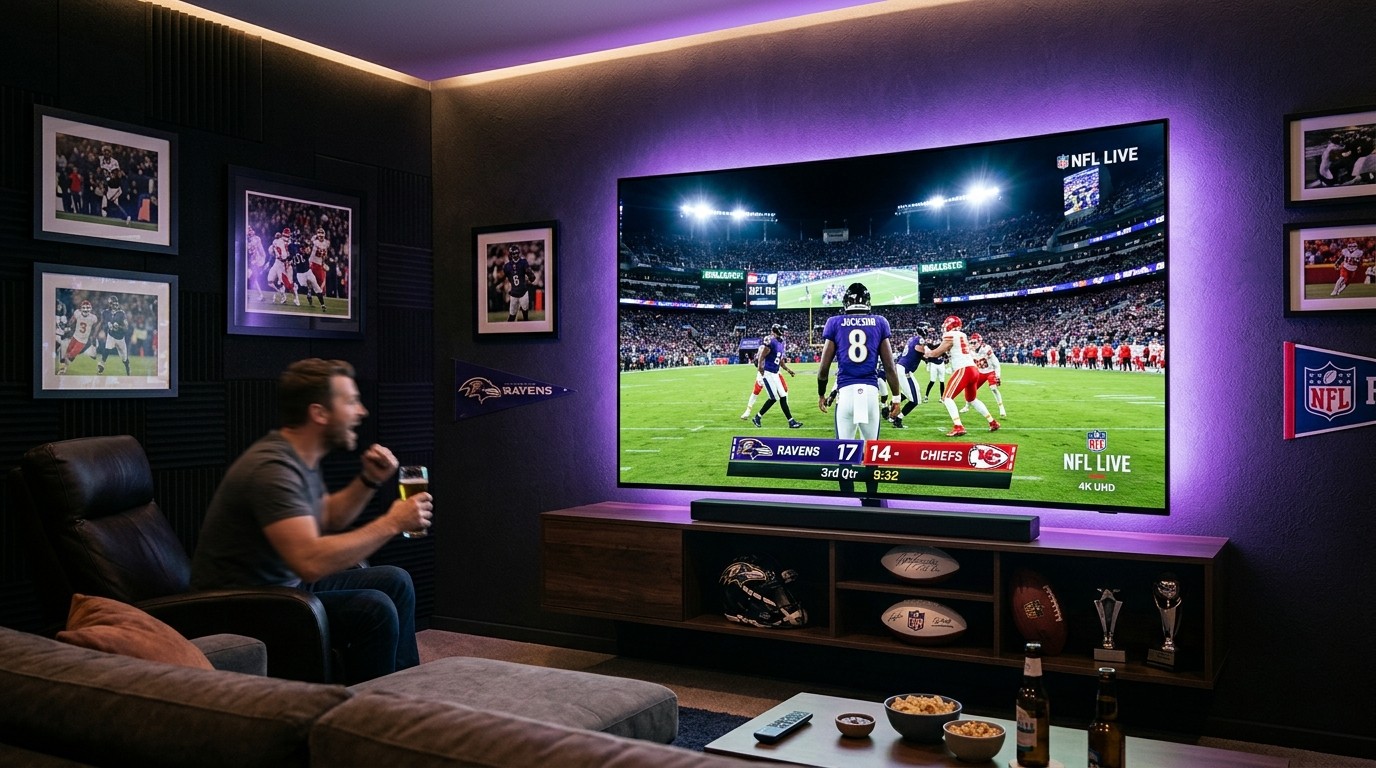
For passionate sports fans, the modern broadcast landscape has devolved into an expensive, chaotic nightmare. In an era where cord-cutting was supposed to deliver simplicity and savings, sports television rights have been aggressively auctioned off to the highest bidder. To follow your favorite teams across a single season today, you are expected to subscribe to half a dozen competing streaming apps—such as Peacock, Paramount+, ESPN+, Apple TV+, Amazon Prime Video, and regional sports networks—running up monthly bills that easily exceed $150 to $200 per month.
To make matters worse, official streaming platforms routinely subject paying customers to arbitrary regional blackouts, low-frame-rate 30fps broadcasts that turn fast-moving balls into blurry smears, and broadcast delays exceeding 45 to 60 seconds. There is nothing more frustrating than having a crucial goal or touchdown spoiled by a text message from a friend while your legal stream is still buffering at midfield.
BINGETRAX IPTV changes the playing field entirely. By consolidating domestic, international, and pay-per-view sporting events onto a high-performance, low-latency digital distribution network, IPTV provides sports enthusiasts with a single, unified gateway to every match, race, tournament, and fight on the planet in pristine 4K UHD and 60fps Full HD.
This comprehensive master guide explains the underlying broadcast mechanics of sports streaming, details how to bypass blackouts, breaks down league-by-league coverage, and provides step-by-step optimization protocols to ensure silky-smooth, zero-buffer playback on any device.
1. The Physics and Engineering of Live Sports Streaming: Frame Rates & Latency
Streaming live sports is fundamentally different from watching an on-demand movie on Netflix. In a movie, scenes are pre-rendered, paced at a cinematic 24 frames per second (fps), and can be aggressively buffered minutes ahead into your device's memory. Live sports, by contrast, demand high temporal resolution (frame rate), minimal transmission latency, and instantaneous video decompression.
[BROADCAST LATENCY COMPARISON TO LIVE ACTION]
Live Stadium Action (0s)
  ├── Satellite Direct Feed:      3 - 5s Delay   [Ultra Fast]
  ├── Cable QAM Broadcast:        5 - 7s Delay   [Very Fast]
  ├── BINGETRAX Low-Latency IPTV: 8 - 14s Delay  [Real-Time Parity]
  ├── Official OTT Apps:          35 - 60s Delay [Noticeable Lag / Spoiler Risk]
  └── Low-Tier Restreamers:       90 - 180s Lag  [Severely Out of Sync]
Why 60fps (and 50fps) Is Non-Negotiable for Sports
The human visual cortex processes high-velocity motion by analyzing spatial changes across consecutive visual frames. When an object moves rapidly across your field of view—such as a curved free kick in soccer, a 98 mph fastball in baseball, a slap-shot in hockey, or a Formula 1 car navigating a chicane—the temporal interval between frames determines visual sharpness.
- The Flaw of 30fps Sports: Many budget IPTV providers and low-tier streaming websites encode sports at 30 frames per second (or 25fps for European PAL feeds) to conserve server bandwidth. At 30fps, an object moving at high speed jumps large physical pixel distances between frames. This creates severe motion judder, double-imaging artifacts, and blurry streaks. Tracking a hockey puck or tennis ball becomes visually exhausting.
- The Smoothness of Native 60fps / 50fps: Enterprise-grade IPTV platforms like BINGETRAX transmit sports feeds at native 60fps (for North American NTSC broadcasts) or 50fps (for European UK/EU broadcasts). At 60fps, a new frame is delivered every 16.6 milliseconds. Rapid panning camera movements remain razor-sharp, pitch textures retain clarity, and fast-moving balls glide smoothly across the screen without ghosting.
Deconstructing Transmission Latency
Transmission latency is the elapsed time between a physical event occurring on the pitch and the corresponding photons hitting your retina on your living room television.
- Satellite Ingest: The live camera feed at the stadium is beamed up to a geostationary communications satellite transponder and downlinked to the network's broadcast master control center (approx. 2.5 to 3.5 seconds).
- Encoding & Transcoding: Hardware encoders ingest the raw feed and compress it into digital distribution codecs like H.265 (HEVC) or H.264 (approx. 1 to 2 seconds).
- Packaging & Edge Delivery: The media stream is segmented and pushed across a global Content Delivery Network (CDN) to edge servers closest to the viewer (approx. 2 to 4 seconds).
- Client-Side Buffer & Decoding: Your streaming device receives the network packets, stores them in a small memory buffer to guard against packet jitter, and decodes the video frames for display (approx. 2 to 4 seconds).
In an enterprise IPTV architecture optimized with Low-Latency HTTP Live Streaming (LL-HLS) or lightweight MPEG-TS unicast streams, total end-to-end latency is held between 8 and 14 seconds. This places you virtually neck-and-neck with traditional cable and satellite viewers.
By comparison, mainstream consumer apps like Peacock or ESPN+ frequently operate with 35 to 60 seconds of built-in latency due to heavy HTTP chunking, making you vulnerable to social media spoilers and live betting desynchronization.
2. Comprehensive League-by-League Coverage Guide
One of the greatest advantages of an enterprise IPTV subscription is unrestricted access to international broadcast feeds. When a match is blacked out or locked behind a paywall in your domestic territory, an international network is broadcasting that exact same game with English commentary.
Football (Soccer): The Global Game
Football is the most-watched sport on Earth, and its broadcasting rights are among the most fiercely contested.
[GLOBAL SOCCER BROADCAST FEEDS]
┌─────────────────────────┬────────────────────────────┬────────────────────────────────────────┐
│ League / Tournament     │ Primary Domestic Broadcasters │ Available International BINGETRAX Feeds│
├─────────────────────────┼────────────────────────────┼────────────────────────────────────────┤
│ English Premier League  │ Sky Sports, TNT, Amazon    │ Optus Sport, Peacock, SuperSport, beIN │
│ UEFA Champions League   │ TNT Sports, Paramount+     │ Canal+, DAZN, Movistar+, Sony Sports   │
│ Spanish La Liga         │ Premier Sports, ESPN+      │ DAZN Spain, beIN Sports, SuperSport    │
│ Italian Serie A         │ TNT Sports, Paramount+     │ DAZN Italy, Sky Sport Italia, beIN     │
│ German Bundesliga       │ Sky Sports, ESPN+          │ Sky Sport Bundesliga, DAZN Germany     │
│ International / Cups    │ BBC, ITV, Fox Sports       │ TF1, ARD/ZDF, RTVE, TyC Sports, beIN   │
└─────────────────────────┴────────────────────────────┴────────────────────────────────────────┘
Circumventing the UK Saturday 3:00 PM Blackout
In the United Kingdom, the "Saturday 3 PM Blackout" (codified under UEFA Statute Article 48) legally prohibits any television network from broadcasting live football matches between 2:45 PM and 5:15 PM on Saturdays. The rule was instituted in the 1960s to protect in-person attendance at lower-league stadiums.
For modern Premier League supporters, this means that if your favorite club plays at 3:00 PM on a Saturday, you cannot watch it on Sky Sports or TNT Sports in the UK.
With BINGETRAX, this artificial restriction is completely bypassed. While UK broadcasters are blocked from airing the fixture, premier international networks—including Australia's Optus Sport, South Africa's SuperSport, Canada's Fubo, and the United States' Peacock/USA Network—broadcast every single 3 PM kickoff in full high-definition with world-feed English commentary. You can switch between all concurrent 3 PM fixtures with a click of your remote.
UEFA Champions League & Domestic Cups
Follow the entire UEFA Champions League campaign from the group stage through to the final in pristine 4K UHD. BINGETRAX delivers dedicated feeds from TNT Sports Ultimate (UK), Canal+ (France), Movistar Liga de Campeones (Spain), and Paramount+ (US), alongside domestic tournament coverage including the FA Cup, Carabao Cup, Copa del Rey, DFB-Pokal, and Coppa Italia.
North American Major Leagues: NFL, NBA, MLB, NHL & NCAA
For North American sports enthusiasts, regional sports networks (RSNs) and out-of-market blackout restrictions have turned traditional cable and official apps into a minefield of frustration.
NFL Sunday Ticket & RedZone
The National Football League is an absolute juggernaut of sports entertainment. With BINGETRAX, you gain access to:
- Every Out-of-Market Game: Access all local CBS and FOX affiliate broadcast feeds from across the United States. Whether you live in London, Los Angeles, or Toronto, you can watch your hometown team play every Sunday afternoon.
- NFL RedZone: The holy grail of football viewing. Enjoy seven continuous hours of commercial-free football hosted by Scott Hanson, tracking every touchdown and red-zone possession across every simultaneous stadium in real time.
- Primetime & Postseason: Thursday Night Football, Sunday Night Football on NBC, Monday Night Football on ESPN/ABC, and complete 4K HDR coverage of the playoffs through to the Super Bowl.
NBA League Pass & Regional Sports Networks (RSNs)
Avoid local blackout restrictions on NBA games. BINGETRAX delivers both Home and Away team regional broadcasts (including Bally Sports / FanDuel Sports Network regional channels, YES Network, Spectrum SportsNet, and Altitude Sports) alongside national ESPN, ABC, and TNT broadcasts with full 60fps court coverage.
MLB Extra Innings & NHL Center Ice
- Major League Baseball: Enjoy uninterrupted 162-game regular season schedules with selectable home and away broadcast audio feeds, pristine 60fps tracking on 100 mph fastballs, and full World Series postseason coverage.
- National Hockey League: Experience hockey the way it was meant to be seen. High-definition 60fps feeds ensure you never lose track of the puck during rapid slap-shots, power plays, and overtime periods across the Stanley Cup Playoffs.
College Sports (NCAA)
Catch every Saturday college football gameday and March Madness college basketball tournament fixture with complete access to the SEC Network, Big Ten Network, ACC Network, Pac-12 networks, and ESPN college sub-channels.
Combat Sports: UFC Pay-Per-View & Championship Boxing
In traditional broadcasting, following combat sports is an extraordinarily expensive endeavor. A single UFC Pay-Per-View event currently costs upwards of $79.99 to $84.99 on ESPN+ in the United States, while marquee boxing championship bouts frequently command $89.99 or £24.95 on traditional box office channels.
[ANNUAL COMBAT SPORTS COST BREAKDOWN]
12 UFC PPV Events (Official Pay-per-view):        $960.00 / year
4 Marquee Boxing Championship PPVs:                $340.00 / year
ESPN+ / DAZN Base Subscriptions:                   $300.00 / year
------------------------------------------------------------------
Total Traditional PPV Cost:                       $1,600.00 / year
BINGETRAX Full Premium IPTV Subscription:           $10.00 - $15.00 / month ($120 - $150 / year)
ANNUAL SAVINGS FOR COMBAT FANS:                   $1,450.00+
With a BINGETRAX Premium Subscription, pay-per-view combat sports are included natively in your subscription lineup:
- UFC Main Cards, Prelims & Early Prelims: Watch complete fight night cards from the very first opening bout of the early prelims through to the five-round championship main event in stunning 4K and 1080p 60fps.
- International Fight Broadcasts: Switch between ESPN+ domestic US commentary and international broadcast feeds from TNT Sports Box Office (UK), Sony Sports (India), and RMC Sport (France).
- Championship Boxing & Pro Wrestling: Comprehensive live coverage of marquee boxing title fights (Riyadh Season, Top Rank, Matchroom, Golden Boy) alongside WWE premium live events (WrestleMania, Royal Rumble, SummerSlam) and AEW pay-per-views.
Motorsports: Formula 1, MotoGP & NASCAR
Fast-moving motorsports require the highest frame rates and specialized multi-angle coverage:
- Formula 1 in Ultra-HD 4K (50/60fps): Experience every Grand Prix weekend from Free Practice 1 through Qualifying and the Sunday race. Tune into the world's most acclaimed motorsport broadcast via Sky Sports F1 UHD, complete with Martin Brundle's grid walk, in-depth technical analysis, and telemetry overlays.
- F1 TV Pro Feeds & Driver Onboards: Access specialized auxiliary feeds allowing you to ride onboard with your favorite driver, track live timing sectors, and listen in on uncensored team pit radio chatter.
- MotoGP, IndyCar & NASCAR: Follow the MotoGP World Championship, IndyCar Series (including the Indianapolis 500), NASCAR Cup Series, and endurance sports car racing like the 24 Hours of Le Mans.
Never Miss Another Live Kickoff or Championship Fight
Stream every Premier League match, NFL Sunday Ticket, NBA fixture, and UFC PPV event in silky-smooth 60fps with BINGETRAX's dedicated sports CDN edge network.
Explore Sports Channels & Plans3. Why Live Sports Buffering Happens & How to Eliminate It
There is a distinct technical reason why your IPTV stream might run perfectly on a Tuesday afternoon while watching a sitcom, but suddenly starts freezing on Saturday at 3:15 PM during a crucial Premier League match. Understanding this phenomenon empowers you to eliminate it.
The Peak Traffic Congestion Spike
Live sports events create massive, simultaneous traffic spikes unlike any other form of media. While on-demand movie streaming distributes viewer requests evenly throughout the day, a major football match forces tens of thousands of users to connect to the exact same live stream within the exact same 3-minute window right before kickoff.
If an IPTV provider relies on cheap, single-server virtual hosting (VPS) without an elastic Content Delivery Network (CDN), their upstream server network interface card (NIC) saturates immediately. When server utilization hits 100%, network packets are dropped, the video container desynchronizes, and your player enters a continuous buffering loop.
The BINGETRAX Solution: BINGETRAX utilizes a dynamic edge-scaling CDN architecture. Approximately 30 minutes before high-profile sporting fixtures, automated monitoring systems spin up additional high-bandwidth edge caching nodes across North America and Europe, distributing traffic across dozens of redundant Tier 1 server clusters.
ISP Deep Packet Inspection (DPI) and Bandwidth Throttling
During major live sports events, Internet Service Providers experience intense data demands across their residential fiber and cable networks. To mitigate network congestion and comply with regulatory agreements, many ISPs deploy Deep Packet Inspection (DPI).
DPI software inspects the headers and transmission patterns of data packets flowing to your home router. When the ISP detects sustained, high-bandwidth UDP or TCP video streams emanating from known IPTV server ports during match hours, they throttle your connection down to an unworkable 1.5 to 2.5 Mbps.
To prove whether your ISP is throttling your sports stream:
- Note the buffering on your sports channel.
- Activate a reputable VPN service utilizing the high-speed WireGuard protocol (such as Surfshark, NordVPN, or ExpressVPN) connected to a nearby domestic server.
- Reload the channel. If the buffering immediately ceases and the 60fps stream plays flawlessly, your ISP was actively throttling your connection. The VPN's military-grade encryption wraps your video packets in an unreadable cryptographic tunnel, preventing your ISP from identifying or throttling your sports stream.
4. Hardware Decoder Engine & Player Buffer Configuration
To achieve zero-buffer playback, your streaming device and player application must be calibrated correctly for live sports transport streams.
[STREAMING BUFFER ARCHITECTURE]
Incoming Packets ───> [Elastic RAM Buffer: 3 - 5s] ───> [VPU Hardware Decoder] ───> 60fps Display
                             │
            (Absorbs Wi-Fi jitter & micro-drops)
Tuning the Player Buffer Size
In applications like TiviMate, IPTV Smarters Pro, or iPlayTV, the buffer size setting dictates how many seconds of video data your device stores in its physical RAM before rendering it to the screen.
- Buffer Size: None (0 seconds): Provides absolute minimal latency (closest to real-time action), but leaves zero margin for error. Any micro-millisecond fluctuation in your home Wi-Fi will cause a noticeable video stutter or freeze.
- Buffer Size: Small (1.5 to 2 seconds): A solid balance for high-speed wired Ethernet connections.
- Buffer Size: Medium (3 to 5 seconds) [RECOMMENDED FOR SPORTS]: The optimal sweet spot for live sports streaming. A 4-second elastic buffer absorbs minor Wi-Fi interference, packet jitter, and router re-transmissions without freezing your picture, while keeping your broadcast latency virtually identical to cable TV.
- Buffer Size: Large (10+ seconds): Only recommended for unstable, slow ADSL connections, as it introduces substantial broadcast delay.
Configuring Hardware Decoding (Hardware vs Software)
Ensure your player application is set to use Hardware Video Decoding (such as Hardware or ExoPlayer in TiviMate settings). Hardware decoding assigns the heavy decompression calculations to your device's dedicated GPU/VPU silicon.
If your player is accidentally configured to "Software Decoding," your device's CPU will overheat, causing dropped frames, audio-video desynchronization, and sluggish remote control response.
5. Multi-View Setup: How to Watch 4 Games Simultaneously
For sports fanatics, the ability to watch multiple live games simultaneously on a single television screen is a game-changing feature that traditional cable set-top boxes simply cannot match.
[TIVIMATE QUAD-SCREEN MULTI-VIEW LAYOUT]
┌──────────────────────────────┬──────────────────────────────┐
│                              │                              │
│       Screen 1 (Main)        │           Screen 2           │
│   Premier League: Arsenal    │   Premier League: Man City   │
│       [Active Audio]         │           [Muted]            │
│                              │                              │
├──────────────────────────────┼──────────────────────────────┤
│                              │                              │
│           Screen 3           │           Screen 4           │
│     La Liga: Real Madrid     │      Formula 1: Sky F1       │
│           [Muted]            │           [Muted]            │
│                              │                              │
└──────────────────────────────┴──────────────────────────────┘
Hardware Requirements for Multi-View
Streaming multiple concurrent 1080p 60fps video feeds requires significant processing power and network bandwidth:
- Recommended Device: Nvidia Shield TV Pro (Tegra X1+ processor with 3GB RAM) or Apple TV 4K (A15 Bionic chip). These flagship devices can comfortably decode up to four 1080p 60fps streams simultaneously without dropping frames.
- Mid-Tier Devices: The Amazon Fire TV Stick 4K Max (2nd Gen) can reliably handle two concurrent split-screens, but may drop frames if pushed to four simultaneous streams.
- Bandwidth Rule: Each Full HD sports stream consumes approximately 10 to 12 Mbps. To run a 4-screen multi-view smoothly, your home internet connection must sustain at least 50 to 60 Mbps of clean download throughput.
- Multi-Connection Account: Multi-view streaming requires an IPTV subscription that permits multiple concurrent connections. Streaming four screens simultaneously on a single-connection subscription will trigger an automated server disconnect. Ensure you select a multi-room package on the BINGETRAX Pricing page.
Step-by-Step Multi-View Activation in TiviMate
- Tune into your primary sports channel in TiviMate.
- Press the Select / OK button on your remote to bring up the playback control overlay.
- Navigate down and select the Multi-View icon.
- Choose Add Screen and browse your Sports bouquet to select your second match. Repeat for screens three and four.
- Use the directional arrow keys on your remote to toggle the active audio track between the different screens instantly.
6. Best Devices for Live Sports Streaming in 2026
Choosing the right physical streaming box is just as vital as choosing the right IPTV provider. Here is how the market leaders rank for sports playback:
| Streaming Device | Processor & RAM | Native 60fps / 4K | Wi-Fi Standard | Ethernet Port | Best Sports Player App | Sports Score |
|---|---|---|---|---|---|---|
| Nvidia Shield TV Pro | Tegra X1+, 3GB RAM | Yes (AI Upscaling) | Wi-Fi 5 (802.11ac) | 1 Gbps Gigabit | TiviMate (Premium) | 9.9 / 10 |
| Apple TV 4K (3rd Gen) | A15 Bionic, 4GB RAM | Yes (HDR10+ / DV) | Wi-Fi 6 (802.11ax) | 1 Gbps (Ethernet model) | UHF / iPlayTV | 9.6 / 10 |
| Amazon Fire TV Stick 4K Max | Quad-Core 2.0GHz, 2GB | Yes (AV1 / HEVC) | Wi-Fi 6E Tri-Band | Optional USB Adapter | TiviMate / Smarters | 9.2 / 10 |
| Chromecast with Google TV 4K | Quad-Core 1.9GHz, 2GB | Yes (HDR10+) | Wi-Fi 5 (802.11ac) | Optional Hub | TiviMate / Sparkle | 8.6 / 10 |
| Native Smart TV Apps (LG/Samsung) | Proprietary Dual/Quad | Limited (RAM drops) | Wi-Fi 5 (Variable) | 100 Mbps Max | Nanomid / IBO Player | 7.0 / 10 |
For power users who prioritize multi-view and AI upscaling of 1080p feeds onto a giant 75-inch 4K screen, the Nvidia Shield TV Pro remains the undisputed king. For budget-conscious cord-cutters seeking flawless 4K 60fps single-stream playback, the Amazon Fire TV Stick 4K Max delivers unmatched value per dollar.
7. Step-by-Step Setup Guide: Configuring Firestick for Live Sports
Follow this step-by-step tutorial to configure an Amazon Fire TV Stick for optimal, buffer-free sports streaming with BINGETRAX:
Step 1: Optimize Firestick System Settings
- Open your Firestick Settings (gear icon on the home screen).
- Navigate to My Fire TV > Developer Options. (If Developer Options is hidden, go to About, highlight your Fire TV device name, and click the center remote button 7 times rapidly until a toast notification says "You are now a developer").
- Turn Install Unknown Apps to ON for the Downloader application.
- Go to Preferences > Data Usage Monitoring and turn it OFF to conserve background CPU cycles.
- Go to Preferences > Notification Settings > App Notifications and disable non-essential app alerts that can disrupt video decoding.
Step 2: Install and Configure TiviMate
- Launch the Downloader app and enter the official TiviMate shortcode or download URL.
- Install the APK and launch TiviMate.
- Select Add Playlist and choose Xtream Codes.
- Enter the Server URL, Username, and Password provided in your BINGETRAX Activation Email.
- Ensure the toggle for Include VOD and Generate TV Guide (EPG) is checked, then click Done.
Step 3: Calibrate Video and Audio Settings for Sports
- Inside TiviMate, navigate to Settings > Playback.
- Set Buffer Size to Medium (3-5 seconds).
- Enable Auto Frame Rate (AFR) and turn on Switch resolution. This ensures that European 50fps feeds command your TV to switch to 50Hz, eliminating frame-skipping judder.
- Set Video Decoder to Hardware.
- Set Audio Decoder to Hardware and enable Audio Passthrough if connected to an external soundbar or AV receiver.
8. Sports Broadcast Comparison Matrix: Cable vs OTT Apps vs BINGETRAX
| Feature & Metric | Traditional Cable / Satellite | Official OTT Apps (Peacock/ESPN+) | BINGETRAX Premium IPTV |
|---|---|---|---|
| Monthly Cost | $120 – $180+ / month | $60 – $100+ (bundled) | $10 – $15 / month |
| Regional Blackouts | Enforced strictly | Enforced strictly | Zero Blackouts (Global Feeds) |
| Saturday 3 PM UK Football | Completely Blacked Out | Not Available in UK | 100% Available via World Feeds |
| PPV Combat Events (UFC/Boxing) | $80 – $90 per event extra | $80 per event extra | Included at No Extra Charge |
| Broadcast Latency | 5 – 7 seconds | 35 – 60 seconds (spoiler lag) | 8 – 14 seconds (Real-Time Parity) |
| Native Frame Rate | 60 fps / 50 fps | Often 30 fps on web/mobile | Guaranteed 60 fps & 50 fps |
| Multi-View Capability | Rarely supported | Limited to select apps | Up to 4 Screens Simultaneously |
| Contract Commitments | 12 to 24-month lock-in | Cancel monthly | No Contracts, Month-to-Month |
Optimize Your Device for Zero-Buffer Sports Playback
Follow our comprehensive hardware configuration guides for Firestick 4K Max, Nvidia Shield Pro, and Apple TV 4K to eliminate judder and match TV refresh rates.
View Installation GuidesFrequently Asked Questions
9. Final Whistle: Elevate Your Live Sports Experience Today
In 2026, sports fans no longer have to tolerate fragmented multi-app subscriptions, absurd $80 pay-per-view fees, artificial regional blackouts, or spoiler-inducing broadcast delays.
By combining an enterprise-grade streaming infrastructure like BINGETRAX with an optimized streaming player and a high-performance streaming device, you unlock the ultimate home sports arena: every league, every tournament, and every championship fight delivered in breathtaking 4K 60fps clarity at a fraction of the cost of traditional television.
Ready for kickoff? Choose your subscription tier on the BINGETRAX Pricing page or check our Device Installation Guides to start streaming every live game in crystal-clear high definition today.