How to Choose the Best IPTV Service: Complete Checklist, Anti-Scam Guide & Benchmark
The modern Internet Protocol Television (IPTV) marketplace is a digital frontier filled with sharp contrasts. On one side are enterprise-grade streaming platforms that deliver pristine 4K resolution, 60 frames-per-second sports, comprehensive 7-day TV guides, and rock-solid 99.9% uptime. On the other side is an ocean of low-tier reseller websites, anonymous social media brokers, and fly-by-night operations that promise the world for pennies, only to vanish into thin air when their overloaded servers collapse under prime-time traffic.
For the average consumer seeking to cut the cord and escape bloated $180/month cable bills, navigating this landscape can feel overwhelming. Many buyers make the mistake of choosing a provider based solely on two superficial metrics: the lowest monthly price and the highest claimed channel count. Inevitably, this leads to frozen streams during championship soccer matches, broken EPG guides, and silent customer support teams.
Choosing the best IPTV service like BINGETRAX requires a methodical, technical approach. You must look past flashy marketing claims, understand the physical server infrastructure required to deliver high-bandwidth video streams, recognize the anatomy of common industry scams, and systematically benchmark any service before committing your money.
This comprehensive master guide provides an exhaustive 10-point technical evaluation checklist, deconstructs how IPTV server networks actually operate, exposes the most common industry traps, and outlines a rigorous 24-hour testing protocol to help you identify a truly elite IPTV provider in 2026.
1. The IPTV Supply Chain: Who Actually Powers Your Stream?
To evaluate an IPTV provider objectively, you must first understand the four-tier hierarchy that governs how streaming data travels from broadcast studios to your living room television.
[THE 4-TIER IPTV ECOSYSTEM]
┌─────────────────────────────────────────────────────────────────────────┐
│ Tier 1: Primary Broadcast Ingestion Hubs                                │
│ (Direct satellite downlink arrays, physical fiber feeds, master NOC)    │
└────────────────────────────────────┬────────────────────────────────────┘
                                     │
┌────────────────────────────────────▼────────────────────────────────────┐
│ Tier 2: Wholesale Content Distribution Networks (CDNs)                  │
│ (Multi-gigabit transit nodes, hardware GPU transcoders, origin clusters)│
└────────────────────────────────────┬────────────────────────────────────┘
                                     │
┌────────────────────────────────────▼────────────────────────────────────┐
│ Tier 3: Enterprise Branded Providers (e.g., BINGETRAX)                  │
│ (Custom edge clusters, active load balancing, 24/7 support, curated VOD)│
└────────────────────────────────────┬────────────────────────────────────┘
                                     │
┌────────────────────────────────────▼────────────────────────────────────┐
│ Tier 4: Amateur Resellers & Panel Flippers                              │
│ (Overloaded virtual VPS, no server access, anonymous social media sales)│
└─────────────────────────────────────────────────────────────────────────┘
Tier 1: Primary Broadcast Ingest Operators
At the top of the pyramid are dedicated broadcast ingestion facilities equipped with high-gain C-band and Ku-band commercial satellite reception arrays and direct physical fiber connections to major international television networks. These facilities capture uncompressed linear television signals directly from network downlinks. Operating at this tier requires multi-million dollar capital investments in physical hardware, satellite dishes, and specialized network engineering teams.
Tier 2: Wholesale Content Distribution Networks (CDNs)
Ingested broadcast feeds are routed into industrial transcoding clusters. High-performance GPU racks (utilizing Nvidia NVENC, AMD, or specialized ASIC video encoders) compress raw video into modern streaming formats like H.264 (AVC), H.265 (HEVC), and AV1. These streams are distributed to global origin server clusters located in major Tier 1 data centers (such as Equinix, Digital Realty, and Interxion).
Tier 3: Enterprise Branded Providers (BINGETRAX)
A genuine tier-three provider like BINGETRAX operates dedicated edge caching infrastructure, maintains custom load-balancing algorithms, actively monitors stream health 24/7, and curates clean, high-bitrate channel bouquets. By deploying edge nodes in key metropolitan Internet Exchange Points (IXPs), BINGETRAX ensures that European and North American viewers connect to local edge servers with sub-15ms round-trip ping times, preventing the server bottlenecks that plague lesser providers.
Tier 4: Amateur Resellers and Panel Flippers
At the bottom of the chain are thousands of amateur resellers. These individuals purchase wholesale "reseller credits" from unverified upstream servers and set up generic Shopify or WordPress landing pages. They have zero access to the underlying server hardware, cannot fix a broken stream if an encoder fails, and cannot adjust bandwidth allocations. When their upstream wholesaler experiences network congestion, the reseller is completely powerless, leaving customers with frozen screens and unread support tickets.
2. The 10-Point Technical Evaluation Checklist
Before purchasing any IPTV subscription, evaluate the provider against these ten rigorous technical benchmarks:
[10-POINT EVALUATION MATRIX]
[✔] 1. Dedicated CDN Edge Architecture & Active Load Balancing
[✔] 2. Native 60fps / 50fps High-Motion Sports Streams
[✔] 3. Uncompressed 4K UHD Feeds with Real Bitrate Transparency
[✔] 4. Curated Playlist Organization & Low Latency Naming Hygiene
[✔] 5. Full XMLTV Electronic Program Guide (EPG) with 7-Day Depth
[✔] 6. Cloud Catch-Up TV (Time-Shift DVR) on Major Networks
[✔] 7. Xtream Codes API & M3U Playlist Interoperability
[✔] 8. True Multi-Screen / Multi-Room Connection Flexibility
[✔] 9. Secure, Encrypted Payment Gateways (No Crypto-Only Demands)
[✔] 10. Responsive 24/7 Technical Support with Sub-1-Hour SLA
1. Dedicated CDN Edge Architecture and Load Balancing
The backbone of any streaming service is its bandwidth distribution capability. Inquire whether the provider utilizes a geographically distributed Content Delivery Network (CDN).
When thousands of users tune in simultaneously to watch a major sports event like the UEFA Champions League final or the Super Bowl, a provider relying on a single origin server will experience total network saturation. An enterprise provider balances incoming client connections across dozens of redundant edge nodes, ensuring that no single server exceeds 65% utilization.
2. Native 60fps and 50fps High-Motion Feeds
Resolution alone does not determine visual quality; temporal resolution (frame rate) is paramount for sports, action cinema, and news tickers:
- Low-Tier Standard: 30 frames per second (or 25fps for European PAL feeds). At 30fps, rapid camera pans result in severe motion blur, judder, and eye strain.
- Enterprise Standard: Native 60fps (NTSC) and 50fps (PAL) broadcasts. A true 60fps feed delivers 60 distinct temporal images per second, creating buttery-smooth motion identical to high-end digital satellite receivers.
3. Bitrate Transparency and True 4K UHD
Be wary of services that label low-bitrate 720p feeds as "4K". Genuine 4K Ultra HD streaming requires a minimum sustained bitrate of 18 to 28 Mbps encoded in H.265 (HEVC) with HDR10 color reproduction. High-quality 1080p 60fps sports streams require between 9 and 14 Mbps. If a provider claims their 4K streams work flawlessly on a sluggish 8 Mbps internet connection, they are serving heavily compressed, upscaled video.
4. Playlist Organization and Channel Hygiene
A massive channel count is useless if the playlist is clogged with broken links, defunct public webcams, and duplicate channels.
- Quality Over Quantity: A curated lineup of 18,000 to 25,000 fully functional, verified channels organized into clean country and genre bouquets is vastly superior to an uncurated list of 100,000 channels where half of the links fail to load.
- Device Performance: Massive, unoptimized playlists consume hundreds of megabytes of RAM on streaming devices, causing apps like TiviMate or IPTV Smarters to freeze, lag, or crash during guide navigation.
5. Full XMLTV EPG Support with Real-Time Sync
A television service without a working program guide is virtually unusable. A top-tier IPTV provider delivers:
- Comprehensive 7-day schedule depth for major domestic and international networks.
- Precise timezone offset compatibility (+/- hours) to ensure schedule markers align with your local clock.
- Automated server-side guide refreshing to accommodate last-minute programming adjustments.
6. Cloud Catch-Up TV (Time-Shift DVR)
Modern television viewing demands schedule flexibility. Premium providers provide server-side Catch-Up TV on popular entertainment, sports, and news networks for 48 hours to 7 days. This allows you to rewind, pause, or watch past broadcasts directly from the EPG grid without requiring local hard drive storage or manual recording configurations.
7. Protocol Flexibility: Xtream Codes API & M3U
Avoid proprietary services that lock you into a single, closed-source application. Your IPTV credentials should support:
- Xtream Codes API: The modern gold standard for IPTV client-server communication, allowing players to query categories, channel streams, and EPG data dynamically using structured JSON calls.
- M3U / M3U8 Playlist URLs: Universal compatibility with legacy players, network media players, and desktop software like VLC.
- Stalker Middleware / MAC Portal: Compatibility with dedicated MAG set-top boxes and Formuler devices.
8. Multi-Connection & Multi-Room Flexibility
Determine whether the subscription accommodates your entire household. Budget services strictly enforce a single active connection, cutting off your stream the moment a family member turns on a TV in another room. Look for providers that offer scalable 2, 3, 4, or 5-connection plans with dynamic IP compatibility, allowing you to stream at home or on mobile devices while traveling.
9. Secure, Transparent Payment Processing
Examine the provider's checkout portal. A legitimate business operates a secure, SSL-encrypted (HTTPS) website and partners with established global merchant processors to accept credit cards, debit cards, or reputable digital payment gateways.
If a provider demands payment exclusively via untraceable cryptocurrency or peer-to-peer friends-and-family transfers, you have zero consumer protection or refund recourse if the service shuts down prematurely.
10. Responsive 24/7 Human Customer Support
Technical issues can arise at any hour, especially during weekend sporting events. Test the provider's support channels before subscribing. Do they offer a functional ticketing system, live chat, or Telegram support? Does a knowledgeable human technician respond within an hour with actionable advice, or do your inquiries disappear into an automated bot loop?
Test the Industry's Most Reliable IPTV Infrastructure
Don't gamble on unverified resellers. BINGETRAX offers dedicated enterprise server clusters, pristine 4K 60fps streams, and 99.9% guaranteed uptime.
Browse Subscription Plans3. The Anatomy of an IPTV Scam: How Deceptive Sellers Operate
The IPTV sector attracts unscrupulous operators who exploit consumer confusion for quick financial gain. Learn to recognize the four most prevalent scam models before handing over your payment details:
[COMMON IPTV SCAM PATTERNS]
┌───────────────────────────────────┬────────────────────────────────────────┐
│ The Scam Model                    │ How It Exploits the Consumer           │
├───────────────────────────────────┼────────────────────────────────────────┤
│ The "Lifetime Access" Scheme      │ Collects $50-$80 upfront; vanishes     │
│                                   │ within 3 to 6 months.                  │
├───────────────────────────────────┼────────────────────────────────────────┤
│ The Over-Subscribed Reseller      │ Sells 500 users on a 100-stream pipe;  │
│                                   │ streams collapse during big games.     │
├───────────────────────────────────┼────────────────────────────────────────┤
│ The Cloned Website Network        │ Operates 20 identical domains; shuts   │
│                                   │ one down when chargebacks pile up.     │
├───────────────────────────────────┼────────────────────────────────────────┤
│ The "Fake Review" Reddit Farm     │ Uses bot armies on Reddit & Trustpilot │
│                                   │ to post fabricated glowing reviews.    │
└───────────────────────────────────┴────────────────────────────────────────┘
Scam 1: The "Lifetime Subscription" Trap
There is no such thing as a legitimate "Lifetime IPTV Subscription."
Delivering high-definition video over the internet incurs substantial, ongoing operational costs. Servers must be rented monthly, multi-gigabit Tier 1 bandwidth transit must be paid for every terabyte transferred, broadcast transcoders require regular maintenance, and engineering staff must be compensated.
When a provider offers "lifetime access for a one-time fee of $50," the business model is mathematically unsustainable. It is an intentional exit scam: the operator collects lump-sum payments from thousands of buyers over a few months, lets the servers degrade as bandwidth costs mount, and abruptly pulls the plug—only to relaunch under a fresh domain name and repeat the cycle. Sustainable, high-performance IPTV operates exclusively on recurring subscription terms (1-month, 3-month, 6-month, or 12-month cycles).
Scam 2: Over-Subscribing Server Bandwidth
This is the most common reason why cheap $4/month IPTV services buffer constantly during live sports. An amateur reseller rents a virtual server with a 10-Gbps network uplink, capable of comfortably serving approximately 500 concurrent high-bitrate viewers.
However, to maximize profit margins, the reseller sells 2,500 subscriptions on that single server. On a quiet Tuesday morning when only 200 people are watching, the service appears lightning-fast. But on Saturday afternoon when 2,000 customers tune in for football, the server interface runs out of bandwidth, packet loss skyrockets, and every customer experiences endless freezing and buffering.
Scam 3: Cloned White-Label Template Networks
Unscrupulous operators frequently purchase dozens of cheap domain names and deploy identical WordPress or Shopify templates across all of them. When one domain accumulates too many consumer complaints, payment processor chargebacks, or negative forum reviews, the operator simply abandons that domain, redirects traffic to their next clone, and continues taking orders under a new brand name.
Scam 4: Manipulated Reddit & Social Media Testimonials
Be extremely skeptical of glowing recommendations found in public cord-cutting forums, Reddit threads, or social media comments. Many scam providers deploy automated bot networks and fake user accounts that post fabricated reviews praising specific obscure services. Look for authentic community sentiment, transparent company history, and professional website operations before trusting an online recommendation.
4. The 24-Hour Benchmark Protocol: How to Stress-Test an IPTV Trial
When you request a trial from an IPTV provider (such as BINGETRAX), do not waste the test window by casually flipping through a couple of news channels. Execute this systematic 6-phase benchmarking protocol to test the provider's server infrastructure under real-world stress conditions:
Phase 1: Establish Your Baseline Network Performance
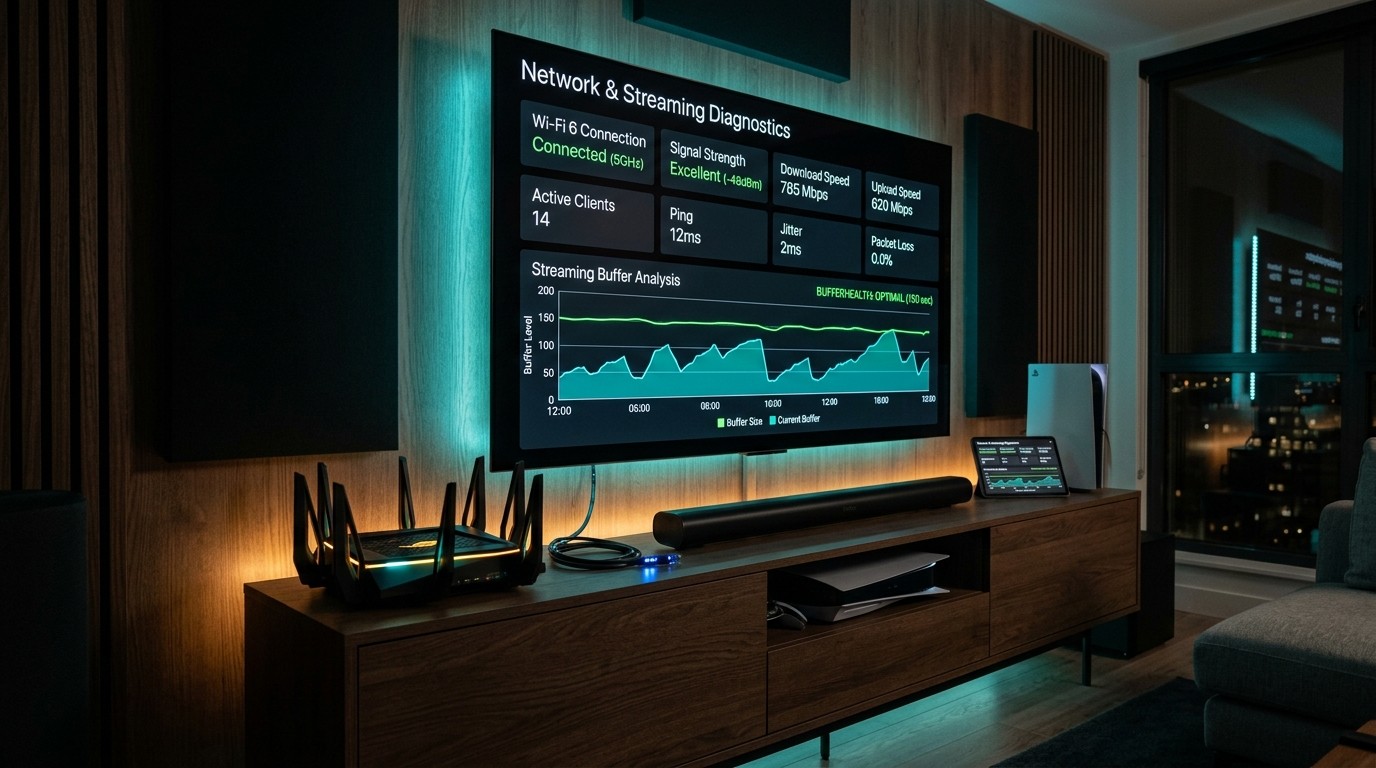
Before launching your IPTV player, run an independent network diagnostic on your streaming device using Analiti or fast.com:
- Confirm that your download bandwidth is at least 30 to 50 Mbps.
- Verify that your network ping is under 35ms.
- Ensure network jitter is below 4ms and packet loss is strictly 0.0%. High local jitter indicates Wi-Fi interference that will mimic server buffering.
Phase 2: Peak-Hour Stress Testing
Schedule your primary testing window during peak international streaming hours:
- European Sports Peak: Saturday between 2:30 PM and 5:30 PM UK time (Premier League matches).
- North American Prime Time: Sunday between 7:00 PM and 10:30 PM US Eastern time (NFL and marquee entertainment). If the service streams without buffering or visual degradation during these heavy traffic periods, the provider possesses legitimate enterprise CDN edge capacity.
Phase 3: Zapping Speed and Channel Switch Latency
Rapidly switch between 15 consecutive live channels across different regional bouquets:
- Optimal Target: Under 1.5 seconds per channel change.
- Acceptable: 1.5 to 2.5 seconds.
- Failing Grade: Over 4 seconds or recurring black screens. Sluggish zapping indicates underpowered media origin servers or distant, poorly routed edge nodes.
Phase 4: Video Codec and Native Frame Rate Inspection
Open your player application's technical stream details or on-screen display (OSD):
- Confirm that major sports networks (Sky Sports, TNT Sports, ESPN, beIN Sports) are streaming at native 50fps or 60fps, rather than 30fps.
- Verify that the video codec is modern H.264 (AVC) or H.265 (HEVC) and that audio tracks provide clean stereo or Dolby Digital AC3 5.1 surround sound.
Phase 5: Simulated Server Failover Test
Tune into a high-profile live channel and let it stream continuously for at least 45 minutes:
- Observe whether the stream drops, stutters, or loops identical 5-second video segments (a common sign of poor upstream encoder looping).
- Check if the provider supplies redundant backup channels (e.g., Feed 1, Feed 2, 4K Feed) for major broadcast networks.
Phase 6: EPG Sync and Catch-Up DVR Verification
Scroll backward in your Electronic Program Guide to an event that aired 12 hours ago:
- Click the past program to test Catch-Up functionality.
- Verify that playback starts promptly and test seeking forward 60 seconds and rewinding 30 seconds. Smooth time-shifting demonstrates a healthy, responsive media storage server.
5. Advanced Stream Diagnostics: Analyzing Bitrate and Packet Flow
For technical enthusiasts and power users who want indisputable empirical proof of stream health, simple visual observation can be augmented with real-time stream packet inspection. Using desktop tools like VLC Media Player or open-source command-line utilities like ffprobe, you can inspect the exact technical characteristics of any incoming IPTV video feed:
[FFPROBE COMMAND FOR STREAM AUDITING]
ffprobe -v error -show_entries stream=codec_name,width,height,r_frame_rate,bit_rate -of json "http://server.domain:port/live/username/password/channel_id.ts"
When executing this audit on a high-tier stream:
- True Frame Rate Verification (
r_frame_rate): Look for60/1or50/1. If the output returns30/1or25/1on a major sports channel (like Sky Sports Main Event or ESPN HD), the provider is serving a downsampled, low-frame-rate feed. - Actual Continuous Bitrate (
bit_rate): A genuine uncompressed 1080p 60fps sports stream will register a bitrate between 8,500,000 and 14,000,000 bps (8.5 to 14 Mbps). A true 4K HDR stream will register between 18,000,000 and 32,000,000 bps. Ifffprobereports a bitrate of 2,200,000 bps (2.2 Mbps) on a stream labeled "FHD", the video is heavily macroblocked and compressed. - Transport Stream Discontinuities: In VLC Media Player (
Tools > Codec Information > Statistics), observe the Lost Frames counter. During a 30-minute playback session, lost frames should remain strictly at zero. Any rising number of lost frames indicates that your local buffer is dropping packets due to upstream server congestion or local network bufferbloat.
6. Hardware and Network Architecture: Sizing Your Setup
A world-class IPTV subscription will still suffer if paired with inadequate local hardware or an unoptimized home network. Review this hardware compatibility and bandwidth matrix to ensure your environment is configured for peak performance:
| Device Category | Recommended Models | Hardware Decoding Support | Best Player Applications | Performance Rating |
|---|---|---|---|---|
| Flagship Streaming Boxes | Nvidia Shield TV Pro, Apple TV 4K (3rd Gen) | Full H.265, AV1, Dolby Vision/Atmos | TiviMate (Android), UHF / iPlayTV (Apple) | Exceptional (10/10) |
| Mid-Tier Streaming Sticks | Amazon Fire TV Stick 4K Max, Google Chromecast 4K | H.265, AV1, HDR10+ | TiviMate, IPTV Smarters Pro | Excellent (9/10) |
| Dedicated IPTV Boxes | Formuler Z11 Pro Max, BuzzTV X5 | Full hardware decoding | MYTVOnline 3 (MOL3), Buzz Player | Superior (9.5/10) |
| Desktop / Laptop PCs | Windows 11 PC, Apple Mac (M-Series) | Full hardware GPU acceleration | SFVIP Player, IPTV Smarters, VLC | Very Good (8.5/10) |
| Smart TV Native Apps | Samsung Tizen OS, LG webOS | Limited by TV SoC / RAM | Nanomid, IBO Player, Smart STB | Moderate (7/10) |
Why We Recommend Dedicated Streaming Hardware
While modern Smart TVs from Samsung and LG support native IPTV player applications (such as Nanomid and IBO Player), their integrated system-on-chip (SoC) processors are engineered primarily for slow, buffered 24fps movie apps like Netflix. When subjected to continuous, high-bitrate 60fps IPTV transport streams, native TV processors frequently suffer from thermal throttling and memory leaks, leading to app crashes and dropped frames.
Connecting a dedicated streaming device like an Amazon Fire TV Stick 4K Max or Apple TV 4K completely bypasses these TV hardware limitations, delivering lightning-fast menu navigation, instant channel zapping, and rock-solid video decoding.
6. Comprehensive Provider Comparison Matrix
To clearly understand where BINGETRAX stands in the broader IPTV marketplace, examine this side-by-side comparison across key infrastructure and service metrics:
| Evaluation Criteria | Free Public Web Streams | Budget Panel Reseller ($3–$6/mo) | BINGETRAX Enterprise IPTV |
|---|---|---|---|
| Infrastructure Type | Public scrapers / ad links | Single shared virtual VPS | Dedicated global multi-CDN edge network |
| Uptime SLA Guarantee | 0% – 50% (unreliable) | 70% – 85% (drops during sports) | 99.9% Enterprise Uptime SLA |
| Sports Frame Rates | 25 – 30 fps (heavy judder) | Often fake 60 fps (upscaled 30fps) | Guaranteed Native 60 fps & 50 fps |
| 4K Ultra HD Availability | None | Rarely functional / low bitrate | True 4K UHD with HDR10 Color |
| Anti-Freeze Protection | None | Basic client-side buffer | Server-side dynamic packet pacing |
| EPG TV Guide Coverage | None | Broken or missing on 40%+ channels | Full 7-Day XMLTV Auto-Sync Guide |
| Cloud Catch-Up TV | None | Rarely supported | Up to 7-Day Server-Side Catch-Up |
| VOD Movie/Series Catalog | Broken / missing links | Infrequent updates, cam-rips | 50,000+ Titles in 4K/FHD with Subtitles |
| Multi-Screen Connections | Single device only | Single device only | 1 to 5 Multi-Room Simultaneous Streams |
| Payment Security | Ad-driven / malware risks | Often crypto-only / sketchy links | PCI-DSS Compliant Secure Checkout |
| Customer Support SLA | Non-existent | Ignored tickets / disappearing chat | 24/7 Dedicated Human Technical Support |
Need Help Setting Up Your Devices?
Our step-by-step installation guides walk you through configuring TiviMate, IPTV Smarters, Fire TV, Apple TV, and Android TV in less than five minutes.
Explore Setup TutorialsFrequently Asked Questions
7. Conclusion: Making an Educated, Confident Decision
Choosing an IPTV provider should never be a gamble. By applying this technical checklist, understanding the underlying server architecture, and methodically benchmarking stream stability during peak traffic hours, you can easily separate amateur resellers from genuine, enterprise-grade streaming platforms.
A premium IPTV service delivers the ultimate cord-cutting experience: tens of thousands of crystal-clear live channels, comprehensive global sports coverage, pristine 4K video-on-demand, and uninterrupted 99.9% uptime—all at a fraction of the cost of legacy cable television.
Ready to experience television without compromise? Explore our flexible packages on the BINGETRAX Pricing page or follow our comprehensive Device Installation Tutorials to start your premium streaming journey today.