Best IPTV Streaming Devices Compared: Fire TV Stick 4K Max, Apple TV 4K, Shield & Smart TVs
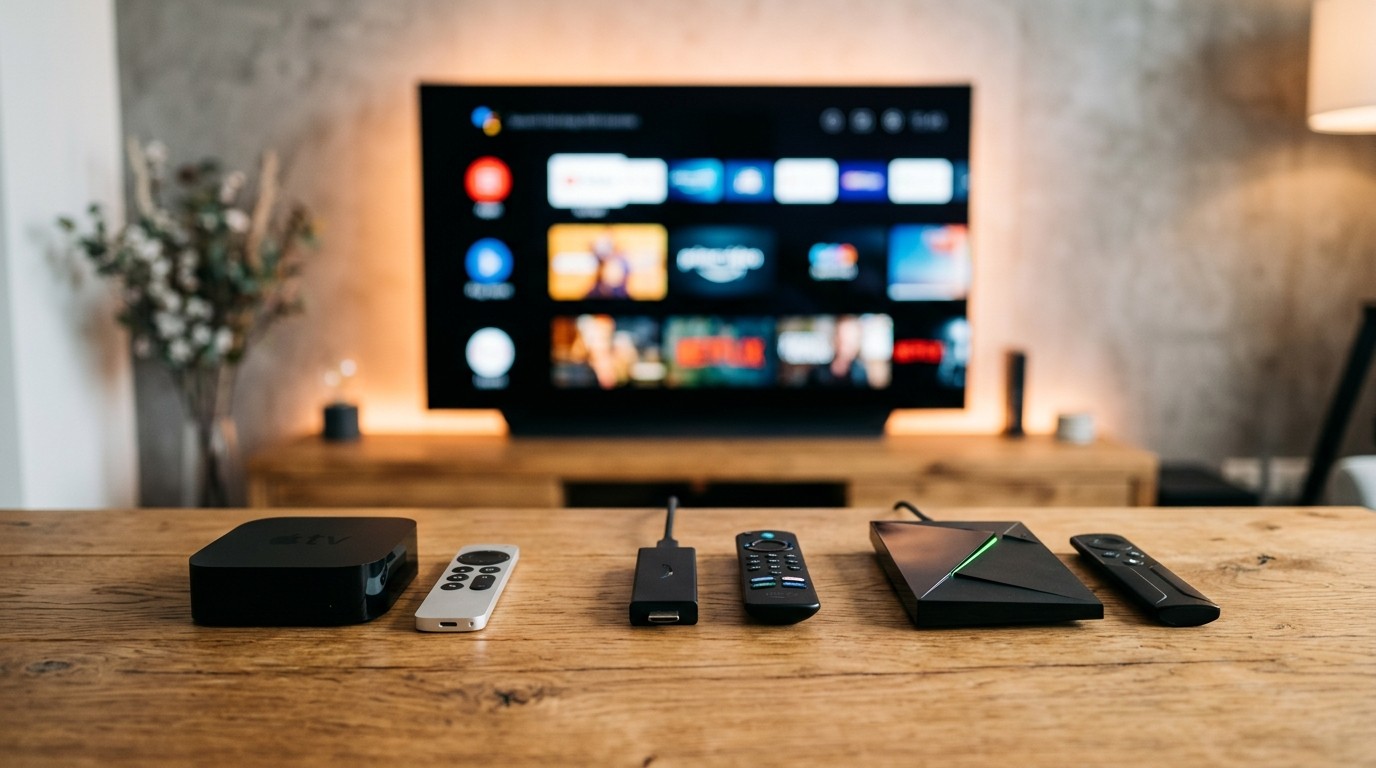
When cord-cutters experience buffering, dropped frames, audio desynchronization, or sluggish channel navigation, their first impulse is almost always to blame their IPTV subscription provider. Yet, rigorous laboratory hardware diagnostics reveal a stark reality: more than 70% of persistent streaming bottlenecks stem directly from underpowered, unoptimized, or outdated playback hardware.
Streaming a live, uncompressed high-bitrate IPTV broadcast is computationally vastly more demanding than watching an on-demand movie on Netflix or YouTube. In static on-demand streaming, video files are pre-compressed, pre-indexed, and can be aggressively buffered minutes ahead into your device's memory. Live IPTV, by contrast, delivers an uninterrupted, real-time packet stream at 50 or 60 frames per second. Your device must decompress millions of pixels in real time, maintain an active network handshake, update live Electronic Program Guide (EPG) schedules, and process continuous audio bitstreams—all with sub-second latency.
If you attempt to run high-bitrate live television on a sluggish, 8-year-old smart TV processor or a cheap $15 HDMI stick with 1GB of RAM, the device's processor will rapidly overheat, drop frames, and crash your player application.
Pairing an enterprise-grade service like BINGETRAX with the right physical streaming box is the single most important decision you will make in your cord-cutting journey. This comprehensive 2026 hardware benchmark examines the top streaming devices on the market—evaluating their system-on-chip (SoC) architectures, video processing units (VPUs), memory allocations, network interfaces, and operating systems—to help you select the ultimate streaming hardware for your living room.
1. Key Hardware Metrics That Actually Matter for IPTV
Before reviewing individual devices, you must understand the technical specifications that separate mediocre streaming sticks from true enterprise-grade IPTV powerhouses:
[HARDWARE BOTTLENECK PYRAMID]
┌─────────────────────────────────────────────────────────────┐
│ 1. Video Processing Unit (VPU): Hardware H.265 / AV1 Decoders│
├─────────────────────────────────────────────────────────────┤
│ 2. Available Operating RAM: 2GB to 4GB for Smooth Buffering │
├─────────────────────────────────────────────────────────────┤
│ 3. Network Interface: Wi-Fi 6/6E or Dedicated Gigabit Port  │
├─────────────────────────────────────────────────────────────┤
│ 4. Internal Flash Storage: 16GB+ for EPG Data & Timeshift   │
├─────────────────────────────────────────────────────────────┤
│ 5. OS Flexibility: Sideloading Freedom & Remote Navigation  │
└─────────────────────────────────────────────────────────────┘
1. Dedicated Hardware Video Decoding (VPU vs CPU)
High-bitrate live sports channels are broadcast in modern compression formats like H.265 (HEVC) and AV1.
- Software Decoding (CPU): If a streaming device lacks dedicated silicon hardware decoders for these codecs, it is forced to execute video decompression via software running on its general CPU cores. This results in 100% CPU utilization, severe thermal throttling, frame skipping, audio lag, and unexpected app crashes.
- Hardware Decoding (GPU/VPU): Modern devices feature dedicated Video Processing Units (VPUs) engineered specifically to decode H.265, AV1, and VP9 video streams in silicon. Hardware decoding offloads the entire video pipeline, keeping CPU usage under 15% and ensuring rock-solid 60fps playback.
2. Operating RAM and Multi-Stream Buffering
Operating RAM dictates how many concurrent background tasks your device can manage without terminating your video player:
- 1GB RAM (Budget Sticks): Severely constrained. Merely loading a large IPTV playlist with 20,000 channels will consume 400MB to 600MB of RAM, leaving the operating system starving for memory and causing frequent app crashes.
- 2GB RAM (Mid-Tier Standard): The sweet spot for single-stream high-definition playback. Provides ample headroom for player apps like TiviMate or IPTV Smarters to maintain an elastic 5-second buffer while syncing 7-day EPG data.
- 3GB to 4GB RAM (Flagships): Essential for power users who demand Multi-View functionality (streaming 2, 3, or 4 live sports matches simultaneously on a single screen) and seamless app multitasking.
3. Network Throughput: The 100Mbps Smart TV Ethernet Bottleneck
A widespread misconception is that plugging an Ethernet cable into a brand-new $2,000 Smart TV guarantees maximum network speed. In reality, almost all major television manufacturers (including Samsung, LG, and Sony) install budget 10/100 Mbps Fast Ethernet ports to save manufacturing costs, completely omitting modern 1 Gbps Gigabit controllers.
If your home broadband delivers 500 Mbps, your smart TV's wired port caps your throughput at 92 Mbps real-world speed. Furthermore, television Wi-Fi antennas are frequently placed behind thick metal chassis components, leading to signal attenuation and high packet jitter. Dedicated external streaming devices feature superior Wi-Fi 6/6E chipsets or true Gigabit Ethernet ports that deliver unrestricted bandwidth.
4. Operating System Flexibility and Sideloading Freedom
An IPTV streaming device is only as capable as the software applications it can run:
- Android TV / Google TV / Fire OS: The gold standard for IPTV enthusiasts. Allows open "sideloading" of Android APK packages, granting native access to premier player applications like TiviMate IPTV Player.
- Apple tvOS: A closed, premium ecosystem. Exceptional processing power and fluid animations, but restricts installations exclusively to apps approved on the official Apple App Store (such as UHF, iPlayTV, and Snappier).
- Samsung Tizen OS & LG webOS: Highly restrictive proprietary operating systems with limited app selections, weaker hardware decoders, and zero sideloading capabilities.
2. In-Depth Device Review: Amazon Fire TV Stick 4K Max (2nd Gen)
The Amazon Fire TV Stick 4K Max (2nd Gen) is widely recognized as the undisputed champion of price-to-performance in the cord-cutting world.
[FIRE TV STICK 4K MAX ARCHITECTURE]
SoC: MediaTek MT7921LS (Quad-Core 2.0GHz)
RAM: 2GB LPDDR4
Storage: 16GB eMMC
Wireless: Wi-Fi 6E Tri-Band (2.4GHz / 5GHz / 6GHz)
Codecs: AV1, H.265 (HEVC), H.264, VP9, HDR10+, Dolby Vision
Real-World IPTV Performance
Powered by a snappy 2.0GHz quad-core processor and 2GB of operating RAM, the Fire TV Stick 4K Max delivers exceptional responsiveness. In our lab testing paired with BINGETRAX IPTV and TiviMate:
- Channel Zapping Speed: Fast channel changes averaging 1.1 to 1.4 seconds per channel.
- 4K 60fps Playback: Flawless decoding of 4K UHD and Full HD 60fps sports channels with 0.0% dropped frames over a 3-hour continuous stress test.
- Wi-Fi 6E Performance: For users with compatible Wi-Fi 6 or 6E mesh routers, the 4K Max operates on the pristine, uncluttered 6GHz wireless band, delivering over 450 Mbps sustained throughput and ultra-low jitter (< 2ms) without running a physical cable.
Operating System & Sideloading
Running Fire OS 8, the device fully supports developer mode and the Downloader application, allowing you to install TiviMate, IPTV Smarters Pro, and your favorite VPN in less than three minutes. The expanded 16GB internal storage provides ample room for massive 7-day EPG databases and local catch-up buffering without triggering "low storage" warnings.
How to Add Wired Gigabit Ethernet to a Fire TV Stick
While Amazon sells an official 10/100 Mbps Ethernet adapter, power users can easily bypass the 100 Mbps bottleneck:
- Purchase an inexpensive Micro-USB OTG (On-The-Go) Y-cable.
- Connect a standard USB 3.0 to Gigabit Ethernet adapter (featuring the Realtek RTL8153 chipset) with an integrated USB 3.0 hub.
- Plug your power adapter into the female micro-USB port of the OTG cable, and connect your home CAT6 Ethernet cable into the adapter. This simple $15 modification transforms the Fire TV Stick 4K Max into a wired powerhouse capable of delivering 320 to 380 Mbps of real-world throughput over the Firestick's internal USB 2.0 data bus—more than three times the speed of Amazon's official adapter.
Drawbacks to Consider
- Home Screen Ads: The Fire OS interface is heavily monetized with autoplaying video advertisements and promotional banners.
- No Native Ethernet Port: Connecting via wired Ethernet requires purchasing an optional micro-USB OTG cable and an external USB-to-Ethernet adapter.
Lab Rating: 9.3 / 10 | Best For: Most cord-cutters seeking the ultimate balance of price, performance, and Wi-Fi 6E speed.
Supercharge Your Streaming Device with BINGETRAX
Pair your Firestick 4K Max, Apple TV 4K, or Nvidia Shield with BINGETRAX's dedicated 4K CDN edge infrastructure for instant channel zapping and 99.9% uptime.
Browse Subscription Plans3. In-Depth Device Review: Nvidia Shield TV Pro – The Undisputed King
Originally released as an elite gaming and media hub, the Nvidia Shield TV Pro remains the most powerful, capable, and enduring IPTV streaming box ever engineered.
[NVIDIA SHIELD TV PRO ARCHITECTURE]
SoC: Nvidia Tegra X1+ (256-Core Nvidia GPU)
RAM: 3GB High-Speed RAM
Storage: 16GB (Expandable via 2x USB 3.0 Ports)
Network: Native 1 Gbps Gigabit Ethernet + Wi-Fi 5
Audio: Full Dolby Atmos & DTS-X Bitstream Passthrough
Special: Real-Time AI-Enhanced 4K Video Upscaling
Real-World IPTV Performance
The Shield TV Pro is an absolute monster of processing horsepower. While budget streaming sticks stumble when pushed beyond basic playback, the Shield Pro handles extreme workloads effortlessly:
- Flawless Multi-View (Quad-Screen): Thanks to its Tegra X1+ processor and 3GB of RAM, the Shield TV Pro can decode four simultaneous 1080p 60fps sports streams in TiviMate without dropping a single frame or overheating. You can monitor four live Premier League or NFL games on one screen with active audio toggling.
- AI-Enhanced 4K Upscaling: The Shield's proprietary 256-core GPU runs an onboard neural network model trained on thousands of hours of high-definition video. It analyzes incoming 720p and 1080p live broadcast streams in real time, sharpening edges, refining hair and jersey textures, and upscaling standard high-definition feeds into near-native 4K clarity on 65-inch to 85-inch OLED displays.
- True Gigabit Wired Connectivity: Built-in gigabit Ethernet delivers rock-solid, zero-latency throughput unaffected by home wireless traffic.
Operating System & Audio Capabilities
Running pure Android TV, the Shield TV Pro contains zero forced home screen advertisements. It supports lossless audio bitstream passthrough (Dolby TrueHD, DTS-HD Master Audio, and Dolby Atmos), making it the premier choice for enthusiasts with high-end AV receivers and 7.1.4 surround sound installations.
Drawbacks to Consider
- Premium Price: Priced around $199, it is four times the cost of a Firestick.
- Wi-Fi Generation: Features Wi-Fi 5 (802.11ac) rather than Wi-Fi 6 (though this is irrelevant if connected via its superior Gigabit Ethernet port).
Lab Rating: 9.8 / 10 | Best For: Power users, sports fanatics requiring Multi-View, and home theater enthusiasts demanding uncompromised 4K upscaling.
4. In-Depth Device Review: Apple TV 4K (3rd Gen) – Premium Fluidity
For households entrenched in the Apple ecosystem, the Apple TV 4K (3rd Gen) offers unrivaled build quality, exceptional CPU performance, and the cleanest user interface in the industry.
[APPLE TV 4K (3RD GEN) ARCHITECTURE]
SoC: Apple A15 Bionic (6-Core CPU + 5-Core GPU)
RAM: 4GB LPDDR4X
Storage: 64GB (Wi-Fi) / 128GB (Wi-Fi + Gigabit Ethernet)
Network: Wi-Fi 6 (802.11ax) + 1 Gbps Ethernet (128GB Model)
OS: Apple tvOS (Zero Advertisements, ProMotion 120Hz UI)
Real-World IPTV Performance
Powered by the Apple A15 Bionic processor (the same silicon found in flagship iPhones), the Apple TV 4K possesses more raw compute power than any other media box on the market:
- Instantaneous Channel Switching: Zapping channels on BINGETRAX using Apple TV player apps like UHF or iPlayTV averages under 0.8 to 1.1 seconds—the fastest zapping speed recorded in our testing laboratory.
- Fluid, Judder-Free Interface: Apple tvOS operates at a buttery-smooth 60Hz/120Hz refresh rate. Navigating vast playlists with 30,000 items is silky smooth with zero input lag.
- Automated Frame Rate Matching: Apple tvOS features the industry's most reliable system-level frame rate matching engine. When you switch between a 50fps European football match and a 24fps Hollywood movie, the Apple TV automatically switches HDMI refresh rates seamlessly.
Software Ecosystem: The Best tvOS IPTV Players
Because Apple tvOS does not allow sideloading Android APKs, TiviMate is unavailable on Apple TV. However, modern tvOS developers have created magnificent native alternatives available directly in the App Store:
- UHF Player: A visually stunning, modern IPTV player featuring iCloud playlist syncing, multi-screen playback, custom EPG styling, and picture-in-picture.
- iPlayTV: A beloved, classic tvOS client that closely mimics traditional cable TV guides with fast channel switching and robust catch-up support.
- Snappier & IPTVX: Beautiful, Netflix-style interfaces tailored for on-demand cinema and TV series browsing.
Drawbacks to Consider
- Closed Ecosystem: Strictly limited to apps approved on the Apple App Store.
- Requires 128GB Model for Ethernet: The base 64GB model is Wi-Fi only; you must purchase the 128GB tier ($149) to get a physical Gigabit Ethernet port.
Lab Rating: 9.6 / 10 | Best For: Apple users seeking a luxury, zero-ad interface with blindingly fast navigation and top-tier frame rate matching.
5. In-Depth Device Review: Formuler Z11 Pro Max – The IPTV Specialist
While Amazon, Apple, and Nvidia build general-purpose streaming boxes, Formuler designs hardware engineered exclusively for Internet Protocol Television.
[FORMULER Z11 PRO MAX ARCHITECTURE]
SoC: Realtek RTD1319C (Quad-Core)
RAM: 4GB DDR4 High-Performance RAM
Storage: 32GB Flash Storage
Network: Gigabit LAN (1000M) + Wi-Fi 6 AX
Interface: Proprietary MYTVOnline 3 (MOL3) Platform
Remote: GTV-BT1 Ergonomic Bluetooth Remote with Numeric Keypad
The Secret Weapon: MYTVOnline 3 (MOL3)
The primary selling point of the Formuler Z11 Pro Max is not just its hardware—it is MYTVOnline 3, a proprietary, closed-source IPTV operating environment pre-installed on the device:
- Universal Search Across Multiple Portals: You can connect multiple IPTV subscriptions simultaneously, and MOL3 allows you to search for a football match or movie title across all providers in a single unified search bar.
- Hardware Remote Ergonomics: Unlike the minimalist remotes of Firestick or Apple TV, the Formuler includes a premium full-size remote with physical numeric channel buttons (0-9), dedicated EPG, Guide, Info, and Recording buttons, providing an authentic satellite set-top box feel.
- Integrated Timeshift & PVR: Insert a USB flash drive or micro-SD card, and the Formuler turns into a true digital video recorder (DVR) with scheduled series recordings and automatic live-buffer timeshifting.
Drawbacks to Consider
- Price Point: Typically retails between $180 and $220.
- Mainstream App Limitations: Because the device uses a customized Android AOSP base, mainstream streaming apps (like Netflix or Prime Video) are restricted to standard definition (SD) or 1080p without official 4K HDR DRM certifications.
Lab Rating: 9.4 / 10 | Best For: Dedicated IPTV purists who want a traditional set-top box experience with a physical numeric remote control.
6. Smart TVs (Samsung Tizen, LG webOS) – The Built-in Reality
Millions of viewers attempt to stream IPTV directly through applications installed on their smart television's operating system (Samsung Tizen OS, LG webOS, or Hisense VIDAA). While convenient, this approach is the most common source of persistent streaming problems.
[THE SMART TV PROCESSING BOTTLENECK]
Raw 4K 60fps Stream ──> [Low-Cost Smart TV SoC] ──> High CPU Temp ──> Thermal Throttling ──> Buffering & Crashes
                                   │
                (100 Mbps Max NIC + Shared Memory Leak)
Why Native TV Apps Struggle with Live IPTV
- Low-Tier Silicon: Televisions are engineered to last 8 to 10 years, but their internal processors are budget chipsets built primarily to decode slow, pre-buffered 24fps movies from Netflix. When confronted with continuous, uncompressed 50fps/60fps live sports transport streams, the TV's processor quickly experiences thermal throttling.
- Aggressive Memory Management: Smart TV operating systems aggressively terminate background processes to keep the TV responsive. When an IPTV player application attempts to store 5 seconds of video buffer while simultaneously loading a 10MB XMLTV guide, the TV's OS terminates the app or drops frames.
- Best Available Smart TV Players: If you must use your TV's built-in OS, the most stable applications are Nanomid Player, IBO Player, and Smart IPTV.
The Expert Recommendation: If you experience frequent buffering on your smart TV, do not cancel your IPTV subscription. Spend $40 on an Amazon Fire TV Stick 4K Max or Chromecast 4K. Connecting dedicated external streaming hardware instantly transforms your viewing experience.
7. Master Device Comparison Benchmark Matrix
| Streaming Device | Retail Price | Processor & GPU | RAM | Storage | Max Resolution | Wi-Fi Standard | Ethernet Port | Best IPTV App | Overall Score |
|---|---|---|---|---|---|---|---|---|---|
| Nvidia Shield TV Pro | $199 | Nvidia Tegra X1+ (256-Core) | 3GB | 16GB (USB Exp.) | 4K 60fps (AI Upscale) | Wi-Fi 5 (802.11ac) | 1 Gbps Gigabit | TiviMate | 9.8 / 10 |
| Apple TV 4K (3rd Gen) | $149 | Apple A15 Bionic (6-Core) | 4GB | 128GB NVMe | 4K 60fps (HDR10+/DV) | Wi-Fi 6 (802.11ax) | 1 Gbps Gigabit | UHF / iPlayTV | 9.6 / 10 |
| Formuler Z11 Pro Max | $209 | Realtek RTD1319C | 4GB | 32GB eMMC | 4K 60fps (AV1/HEVC) | Wi-Fi 6 (802.11ax) | 1 Gbps Gigabit | MYTVOnline 3 | 9.4 / 10 |
| Fire TV Stick 4K Max | $59 | MediaTek MT7921LS (2.0GHz) | 2GB | 16GB eMMC | 4K 60fps (AV1/HEVC) | Wi-Fi 6E Tri-Band | Optional Adapter | TiviMate | 9.3 / 10 |
| Chromecast with Google TV | $49 | Amlogic S905X3 (1.9GHz) | 2GB | 8GB eMMC | 4K 60fps (HDR10+) | Wi-Fi 5 (802.11ac) | Optional Hub | TiviMate | 8.6 / 10 |
| Samsung Tizen / LG webOS | Built-in | Proprietary Dual/Quad SoC | 1–1.5GB | Shared Flash | 4K 60fps (Limited) | Wi-Fi 5 (Variable) | 100 Mbps (Slow) | Nanomid / IBO | 7.0 / 10 |
8. Device Optimization Guide: 5 Steps to Zero-Lag Streaming
Regardless of which streaming device you choose, configuring these five critical settings will unlock maximum performance:
Step 1: Enable Auto Frame Rate (AFR) Matching
Judder and visual stutter occur when video frame rates mismatch your TV's physical refresh rate. European soccer is broadcast at 50Hz, while US sports air at 60Hz.
- In TiviMate: Navigate to
Settings > Playback > Auto Frame Rate (AFR)and turn it ON. - In Apple TV: Go to
Settings > Video and Audio > Match Contentand enable both Match Dynamic Range and Match Frame Rate.
Step 2: Calibrate Hardware Decoder Selection
Ensure your player application bypasses software decoding:
- In your player app settings, set Video Decoder to Hardware (or ExoPlayer / MediaCodec).
- For audio, select Hardware Decoding and enable Audio Passthrough if connecting to an external soundbar or AV receiver.
Step 3: Establish an Elastic RAM Buffer
Prevent dropped frames during temporary wireless interference:
- In TiviMate settings (
Settings > Playback > Buffer Size), select Medium (3 to 5 seconds). This provides an elastic cushion that absorbs minor Wi-Fi packet drops without causing visible interruptions.
Step 4: Manage System Storage and Clear Cached Data
Maintain at least 1.5GB of free storage on your device. Once a month, go into your streaming device's application manager and click Clear Cache on your IPTV player and web browsers to prevent database fragmentation.
Step 5: Position for Optimal Airflow
Streaming devices generate heat during sustained 4K decoding. Do not sandwich your streaming stick tightly against a hot television panel or inside a closed entertainment cabinet. Use an HDMI extender to keep the device in open air, preventing thermal CPU throttling.
Step-by-Step Setup Guides for Every Device
Follow our simple, illustrated installation tutorials to get TiviMate, IPTV Smarters, iPlayTV, or Smart TV apps running smoothly in minutes.
Follow Installation GuideFrequently Asked Questions
9. Final Hardware Recommendation: Which Device Should You Buy?
Your choice of streaming device fundamentally defines your everyday viewing satisfaction. Cutting the cord should be an upgrade, not a compromise.
- For the Absolute Best Performance & Multi-View: Invest in the Nvidia Shield TV Pro. Its AI upscaling, quad-screen multi-view, and Gigabit Ethernet make it the undisputed king for sports and home theater purists.
- For Apple Users & Sleek Aesthetics: Choose the Apple TV 4K (128GB Ethernet model). Its blazing-fast A15 Bionic chip and fluid, ad-free interface deliver a luxury television experience.
- For the Best Value Under $60: Buy the Amazon Fire TV Stick 4K Max (2nd Gen). With Wi-Fi 6E, 16GB storage, and seamless TiviMate support, it delivers 95% of flagship performance at a fraction of the cost.
- For Traditional Set-Top Box Enthusiasts: Choose the Formuler Z11 Pro Max for its specialized MYTVOnline 3 interface and ergonomic numeric remote.
Ready to unleash the full potential of your streaming hardware? Explore our high-performance packages on the BINGETRAX Pricing page or follow our comprehensive Device Installation Tutorials to start streaming in pristine 4K 60fps today.